 Sayleaf
Writing tutorial
How to Proofread Your Writing by Listening to It
After reading the same draft several times, you may start supplying the words you meant to write. A listening pass gives you a different way to review the sentences that are actually on the page. It is especially useful for repetition, awkward rhythm, and transitions that are hard to follow.
Prepare a clean draft, generate a narration with a suitable voice, listen once for meaning and once for sentence-level issues, then revise the text and regenerate. Keep a note of what you want to change as you listen.
1. Create a listening copy of your draft
Copy the draft from your writing tool into a new Sayleaf narration,
or open it as a UTF-8 .txt file. Remove editing notes that you do
not want spoken. Give it a title that identifies the version, such
as Newsletter — listening pass 1.
Choose a voice that matches the draft’s language. Start with a natural pitch and an ordinary speaking speed rather than trying to make the narration sound dramatic. The goal is to follow the argument and notice difficult wording. If you need help selecting a speaker, use the language and accent guide.
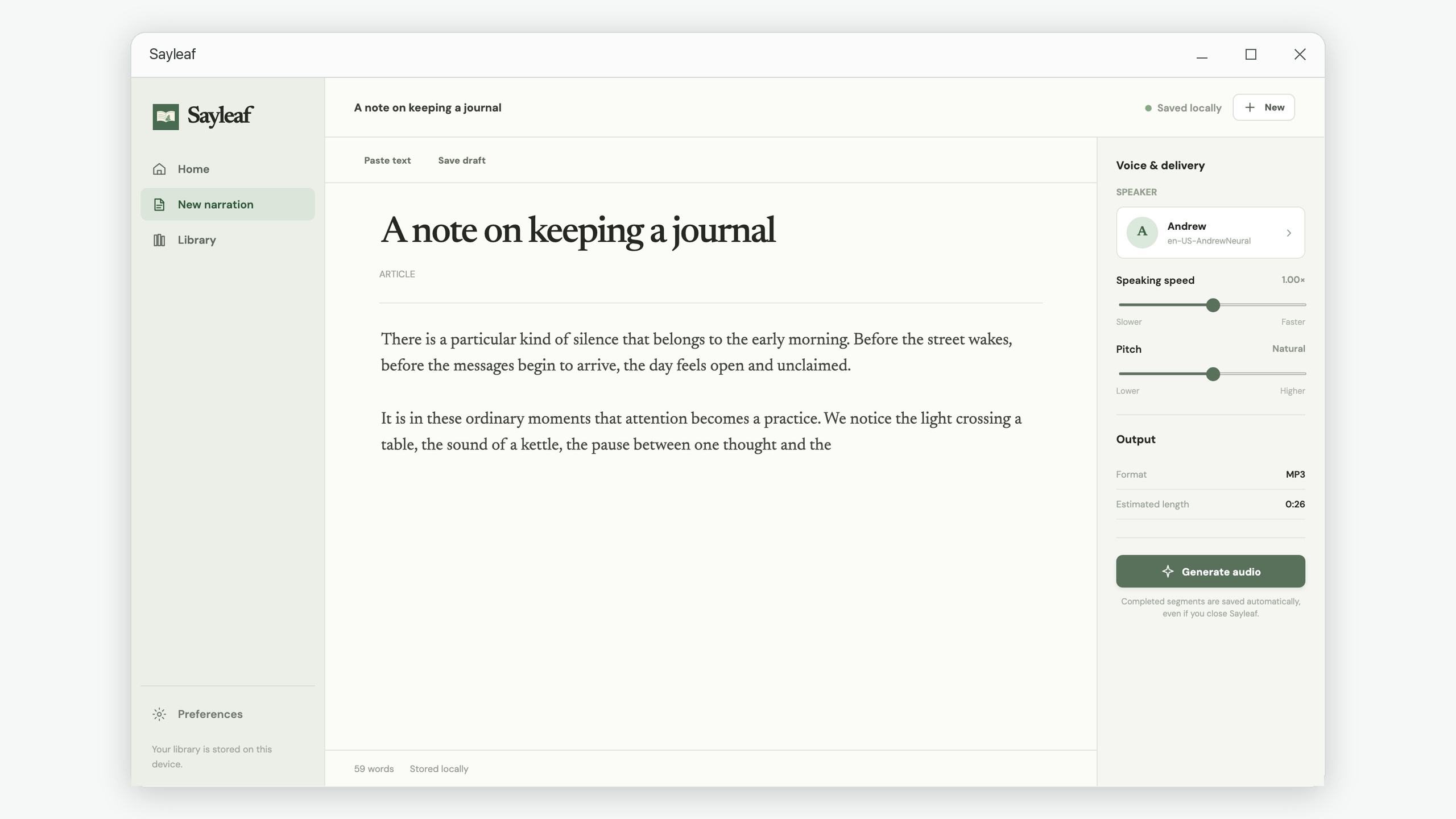
2. Make the first pass about meaning
Generate the audio, then listen to a section without reading along for a moment. Can you explain what the paragraph is saying? Do you know who “they” refers to? Does the next paragraph follow naturally from the previous one? If you need to reread the text to understand a transition, mark that point for revision.
Write down the paragraph’s first few words or an approximate playback time beside your note. Sayleaf gives you playback and a seek bar, but it does not attach editing comments to the audio or automatically identify writing problems. Your notes can stay in your usual editor or on paper.
- Unclear reference: a pronoun has more than one possible subject.
- Missing connection: a new idea arrives without explaining how it relates to the last one.
- Overloaded sentence: one sentence contains several claims, conditions, or examples that are difficult to follow by ear.
- Unhelpful ending: the final paragraph repeats the opening without saying what the reader should take away.
3. Make the second pass about sentences
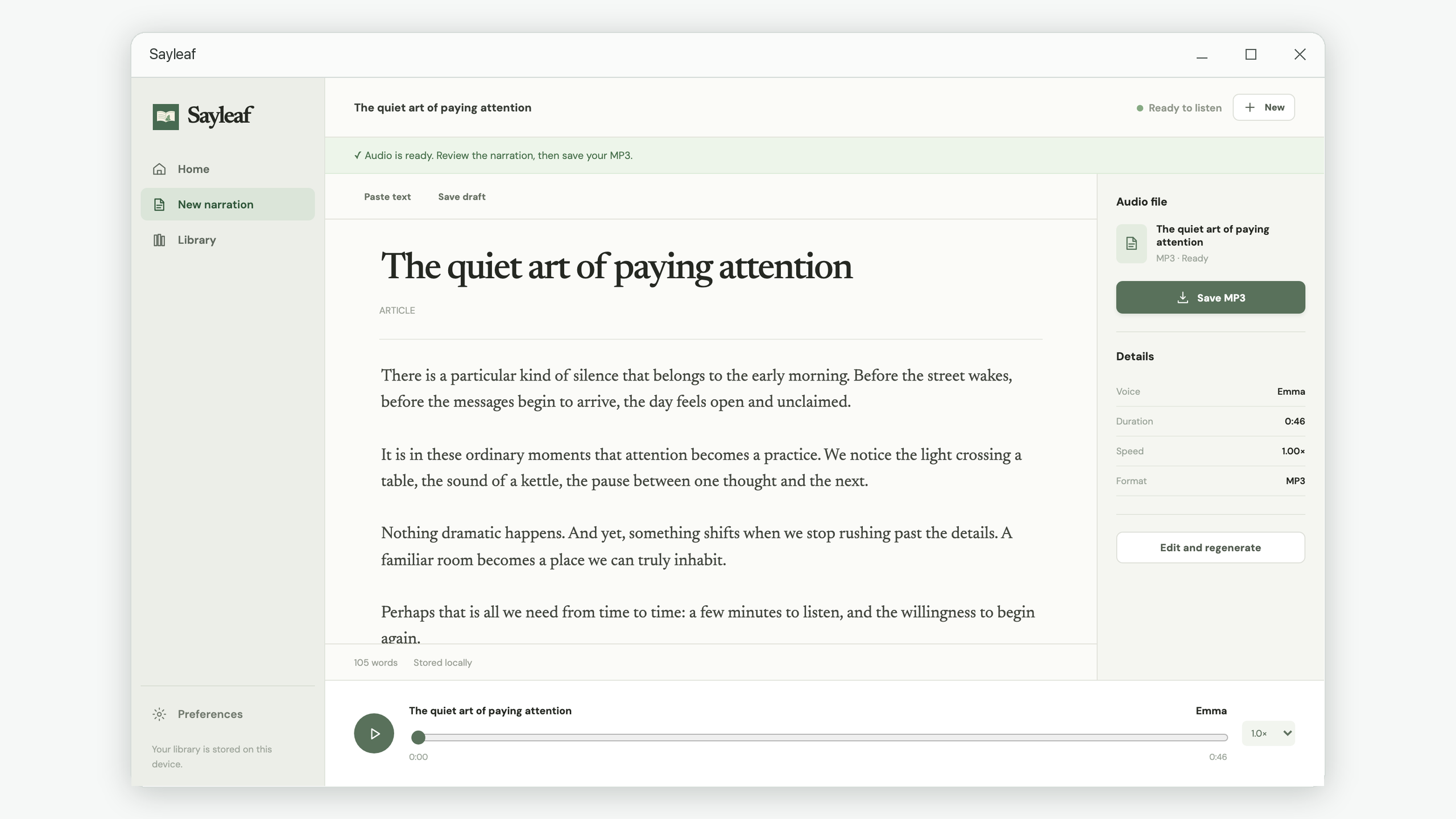
Read along while replaying the passages you marked. Listen for a repeated word, an abrupt shift in tone, or a phrase that takes too long to reach its point. Move the seek bar back to review a sentence instead of restarting the whole narration. If you need more time to evaluate the existing audio, lower the player’s playback speed.
Consider this deliberately repetitive sentence:
We reviewed the report in order to review the changes that were included in the report.
A clearer revision might be: “We reviewed the report’s changes.” Listening can make the repetition obvious, but you still need to decide whether a shorter version preserves your intended meaning. Do not remove a qualification simply because a sentence sounds better without it.
A second useful example is an ambiguous reference: “Maya spoke to Lena after she finished the draft.” If the speaker is unclear, name the person: “After Maya finished the draft, she spoke to Lena.” Hearing the sentence does not resolve the ambiguity; it prompts you to check it.
4. Revise the text and listen to the changed version
On a completed narration, choose Edit and regenerate. Apply the changes to the article text, save the draft, then generate new audio. The old recording will not update simply because you changed a sentence. If your main manuscript lives in another writing tool, apply the same revisions there so your listening copy and your source document do not drift apart.
Changing the body text creates a new generation configuration. Completed segments from the previous wording are not reused in the revised narration. For frequent revisions to a very long manuscript, work on a shorter section in its own narration first, then bring the settled text together for a final listening pass.
A practical final-pass checklist
- Each paragraph has one main point you can follow by ear.
- Pronouns have a clear subject.
- Repeated words are intentional.
- Long sentences still make sense when spoken.
- Headings and transitions guide the listener.
- Names, dates, figures, and quotations have also been checked visually.
Text-to-speech is a review aid, not a fact-checker or an automatic grammar assessment. A voice may mispronounce a name or read an abbreviation unexpectedly, and some spelling or punctuation issues will not be obvious in audio. Keep a separate visual pass for those details.
Keep a review copy when you need one
You can return to the saved narration in the Library while its
generated audio is retained. If you want a separate file for a later
review or another device, choose Save MP3 and use a
versioned name such as newsletter-review-02.mp3. The
MP3 export guide
explains the destination and filename checks.